
Your team is answering the same questions on loop
Picture a normal Tuesday. Someone messages the group: "What's our refund process for a B2B client?" A second person pings IT: "Where's the VPN setup again?" A new hire interrupts a meeting because they don't know who approves expenses. None of these are hard questions. They're just asked constantly, by different people, every single week.
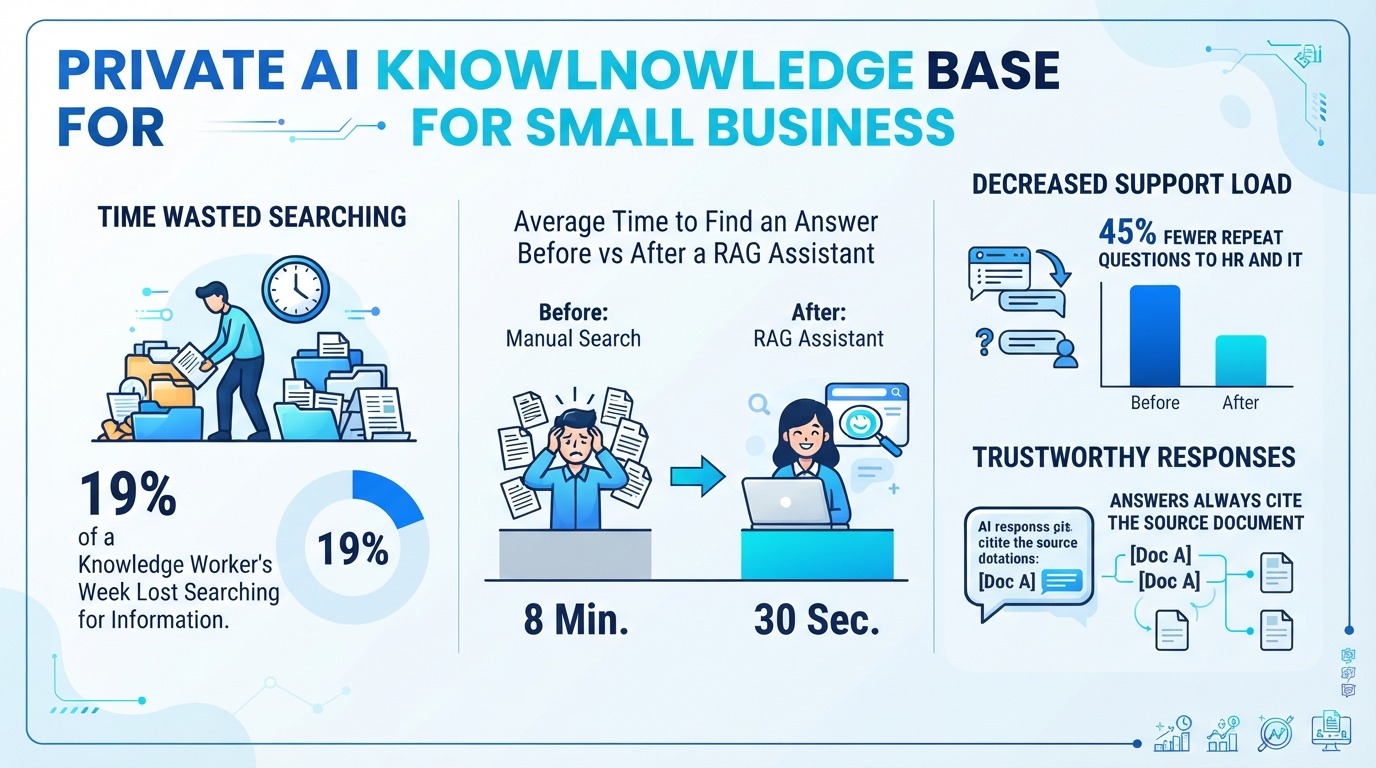
The cost isn't the answer — it's the interruption on both ends. The asker waits, the answerer drops what they're doing, and the same thread gets re-litigated next month. McKinsey estimates knowledge workers spend around 19% of their time simply searching for and gathering information. For one person that's nearly a full working day every week, gone to hunting for things that already exist somewhere in the company.
New hires feel this the most. They don't know who to ask, so they ask whoever is nearby — repeatedly — until they've absorbed the tribal knowledge by accident. A good knowledge base lets them type the question once and read the answer, at 9 p.m. if they want.
So what is a private AI knowledge base, really?
Strip away the jargon and it's simple. You feed your documents into a system that reads them, breaks them into small chunks, and stores those chunks so they can be found by meaning rather than by keyword. When someone asks a question, the system pulls the few chunks that actually relate to it, hands them to an AI model, and the model writes an answer built only from those chunks — then shows you the source.
That last part is the whole point, and it's what separates this from "just upload my files to a chatbot." A general chatbot answers from everything it learned on the internet, which means it can invent a policy you don't have. A private knowledge base answers from your documents, and when the answer isn't in there, a decent system tells you it couldn't find it instead of guessing. You get "the refund policy is in Handbook v3, section 4" rather than a confident hallucination.
And "private" isn't a marketing word here. The documents stay in your own account. They aren't used to train a public model. That's what makes this safe enough to point at your real HR files and client playbooks.
The questions it actually answers
This is where it stops being abstract. A private knowledge base earns its keep the moment it covers the questions your team asks on loop:
- Onboarding: "What's our standard refund window for business clients?" "How do I submit an expense report?" "Where's the onboarding checklist for my role?"
- HR and policy: "How many vacation days do I have left?" "What's the per-night travel reimbursement cap?" "What's the work-from-home policy?"
- IT help desk: "How do I set up email on a new phone?" "Where's the VPN config?" "Who do I contact when the printer server is down?"
- Standard procedures: "Walk me through a returns authorization, step by step." "What's the approval chain for a purchase order over $5,000?"
- Client-specific knowledge: agencies and consultancies keep a playbook per client. The assistant answers from the right client's folder, so a strategist gets Acme's SLA, not the generic template.
- Sales enablement: "What did we propose to that prospect in Q2?" "What's our standard service-level agreement?"
The pattern is always the same: a question with an answer that already exists in a document someone wrote once and nobody can find. That's the exact category of work this removes.
What it takes to stand one up
The good news: you do not need a data team. Plenty of no-code tools index a Google Drive or SharePoint folder in an afternoon. The hard part was never the AI — it was that your knowledge was scattered. The AI just makes it searchable.
A sequence that works for small teams:
- Pick one narrow source set. Don't dump the whole company drive in on day one. Start with your HR handbook and your IT runbook — the two things people ask about most.
- Connect the source. Point the tool at Google Drive, SharePoint, Notion, or whatever already holds the docs. Let it index.
- Open it to a small pilot group. Five people, real questions, one week.
- Watch what they ask. The questions you can't answer are your writing backlog — they tell you exactly which doc is missing.
- Expand only after it works. Add the next source set once the first one is solid.
The mistakes that sink a knowledge base
These fail in predictable ways, and almost none of them are the software's fault.
- Garbage in. If your handbook is a 40-page unlabeled PDF from 2019, the assistant inherits that mess. Clean the top sources first; the AI is only as good as what you feed it.
- No access control. If everyone can see everything, you either over-share sensitive docs or people stop trusting the answers. Enforce permissions at the source system so the assistant only shows what each person is allowed to see.
- Hiding the gaps. When the system can't answer, that's a signal to write the doc — not a failure to apologize for. Log the misses and route them to whoever owns that knowledge.
- Set-and-forget. Knowledge rots. A procedure updated last quarter but still showing the old version produces a confident wrong answer. Schedule refreshes the way you'd schedule software updates.
Why "private" is the whole point
This is the part that decides whether you can point it at real company data. Three things have to hold:
- Your data stays in your account. Require a no-training clause from the vendor — your documents shouldn't become someone else's model fuel. A data processing agreement (DPA) is the minimum.
- Answers respect permissions. The assistant should only show results from documents the user is already allowed to open. If it leaks the existence of a file someone can't access, that's a bug, not a feature.
- You can keep it local. For sensitive work — health, legal, finance — self-hosted or region-hosted options remove the data-residency worry entirely. Pick the hosting that matches the rules in your region.
None of this is exotic. It's the same hygiene you'd apply to any system that touches employee or client data. The difference is that a knowledge base makes the value obvious fast enough that the hygiene feels worth it.
How to start this week
If you're convinced, here's the version I'd actually run. Deliberately small — that's the point.
- Name one question your team asks constantly. The more annoying, the better.
- Gather the three to five documents that answer it. Export them somewhere the tool can read.
- Choose a tool you already half-use. Notion AI, a Drive-connected assistant, or an n8n build you can stand up in an afternoon. Don't buy a six-figure platform for one question.
- Index those docs and test with ten real questions. The ones it can't answer are your writing list.
- Measure before expanding. Time to answer, repeat questions, new-hire ramp. Expand the source set only after those move.
That's it. No model training, no data scientist, no six-month rollout. A focused pilot this week, then grow it where the questions actually are.
Frequently asked questions
Isn't this just a chatbot with my files?
No, and the difference matters. A general chatbot answers from the open internet and can invent things. A private knowledge base answers only from your documents, shows you the source, and tells you when the answer isn't in there. It's built for "what does our company say," not "what does the world say."
Do I need engineers or a data team?
For most small businesses, no. The no-code tools connect to Google Drive, SharePoint, or Notion and index your content in an afternoon. The actual work is curating and cleaning your documents, which is a writing job, not a coding job. A custom build with n8n is only worth it once you've outgrown the off-the-shelf options.
What if the AI gives a wrong answer?
A well-built system cites its source so anyone can check, and it should say "I didn't find that in your documents" rather than make something up. Accuracy tracks your document quality: start with clean, current sources and the answers stay trustworthy. Stale SOPs are the usual cause of a confident wrong reply.
How much does it cost?
Team plans for knowledge assistants run from free tiers up to roughly $10–50 per user per month, depending on features and volume. A custom n8n build trades that subscription for engineering time instead. Either way it's cheap next to the hours it returns — McKinsey's 19% figure means a ten-person team is spending the equivalent of a full-time week every week just searching.
Will it replace our intranet or wiki?
It sits on top of them. Same documents, but your team asks in plain language instead of clicking through folders and hoping the right page exists. Think of it as the search bar your wiki never quite was — one that answers instead of listing links.
Want a knowledge base that actually gets used?
We build private AI assistants on top of the tools you already run — Drive, SharePoint, Notion — so your team stops asking the same questions and starts getting cited answers. No jargon, no six-month rollout, just a pilot that works this month. Tell us the one question your team asks on loop and we'll show you the build.
Talk to BigLobster →