
Every owner has a question that gets postponed because the answer lives in three different places. Which customers are slowing down? Why did margin dip last month? Which jobs are taking too long?
On September 10, 2026, OpenAI announced a Data agent inside ChatGPT Work. It can connect to approved data sources, investigate changes, build dashboards, and suggest next steps. That is interesting for a 10-person company. It is also an easy way to create a very confident answer from a badly defined metric.
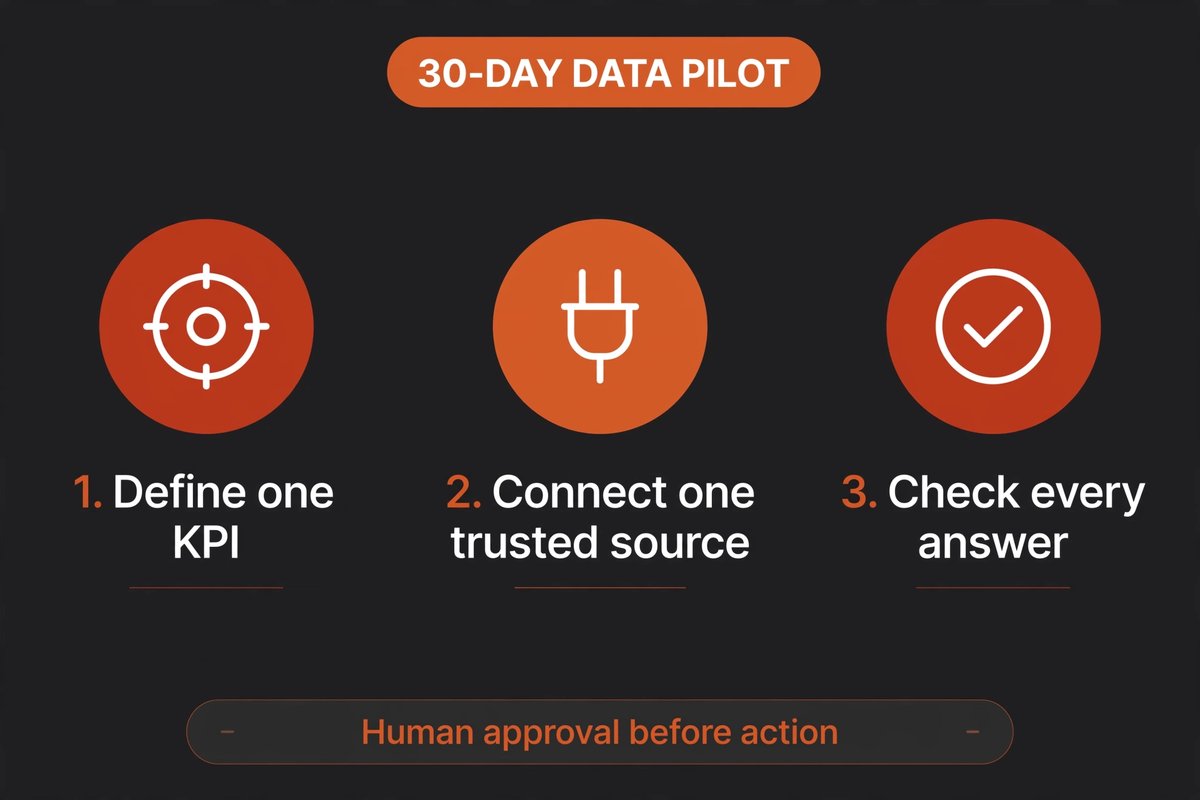
Here is the sensible way to approach it: run one narrow, read-only pilot for 30 days. Give it one trusted source, one business question, and a person who checks every answer before anyone acts on it.
What the Data agent actually changes
Small companies rarely lack data. They lack spare time to turn it into a useful answer. A sales report may sit in a CRM, expenses in accounting software, and delivery information in a spreadsheet. Someone who knows all three has to assemble the picture by hand.
The Data agent is designed to remove that assembly step. You can ask a question in normal language, inspect the evidence, ask follow-up questions, and turn the result into a dashboard. OpenAI says it can also work with connected BI tools such as Power BI, Tableau, Sigma, and ThoughtSpot.
That is not the same as giving ChatGPT a magic view of the company. An administrator still chooses available connections and roles. The connected account's permissions still matter. And a dashboard can be polished while using the wrong definition of “revenue” or mixing orders with cash received.
Who should test it first?
This is a good candidate if you already have one recurring reporting problem:
- You spend several hours each week combining the same two or three exports.
- The question has a measurable answer, such as response time, repeat sales, gross margin, or overdue invoices.
- One person can explain where the data comes from and what each field means.
- You can run the test without sending customer data into a new system.
If your records are inconsistent, start by fixing the records. A language interface will not repair duplicated customers, missing dates, or changing definitions. It will only make the confusion easier to discuss.
Run a 30-day pilot instead of a grand rollout
Do not begin with “connect everything.” Begin with a question that matters every week. “Which customers are most likely to renew?” may be useful, but it is a poor first test if your renewal history is incomplete. “What were our top five products by invoiced sales last month?” is less exciting and much easier to check.
Days 1–5: define the question. Write down the exact metric, date range, filters, and expected output. Decide what source is authoritative. If two people calculate it differently, settle that disagreement before opening the tool.
Days 6–10: connect one source. Use the narrowest connection that can answer the question. Keep the first run read-only. Remove old exports and irrelevant files from the test workspace rather than handing over the whole company archive.
Days 11–20: check the answers. Ask the same question three ways. Compare the result with a report you already trust. Look for missing rows, odd date handling, duplicate records, and conclusions that sound stronger than the evidence.
Days 21–30: decide what earns a place. Track time saved, corrections needed, and one business outcome. If the answer takes less time but still needs heavy correction, that is useful information. Stop, fix the data or definition, and test again. Do not turn a promising demo into a permanent workflow by momentum alone.
What to protect before you connect anything
Permissions are not a substitute for judgment. The Data agent announcement says administrators can control which connections and roles are available, and that queries enforce the connected account’s existing table, row, and column restrictions. Those controls help, but they do not tell you whether the person asking the question should see every field in the first place.
Make a short inventory before the pilot:
- Data: What customer, employee, supplier, or financial information is present?
- Access: Which named people can connect, query, export, or share results?
- Retention: Where do prompts, dashboards, and downloaded files live after the test?
- Approval: Which decisions still require a human, even when the chart looks convincing?
Use a synthetic or redacted dataset if it can answer the question. If it cannot, document the reason for using real data and give the pilot an owner and an end date. A shared login and an untracked export are not a data strategy.
What should you ask on day one?
Keep the first prompts boring. Boring prompts are easier to verify.
- “Show invoiced sales by product for the last full month, with the source rows and calculation.”
- “Compare this month’s overdue invoices with the same month last year. List exclusions.”
- “Create a weekly dashboard for one KPI. Add a note beside every assumption.”
Ask for evidence, not just a conclusion. Then open the source report and check a few rows yourself. If the tool cannot explain how it reached a number, that number is a draft, not a decision.
When should you stop the pilot?
Stop if the data connection exposes more information than the question needs, if nobody owns the definitions, or if the result is being used to make a high-stakes decision without review. Stop if the dashboard saves 20 minutes but creates an hour of checking. That is not failure; it is a clear “not yet.”
Continue only when the pilot produces repeatable answers, a named owner can maintain it, and the team knows what the agent is not allowed to decide. A useful dashboard should make a meeting shorter. It should not become another system everyone has to babysit.
Frequently asked questions
Is the Data agent a replacement for a data analyst?
No. It can reduce the time spent assembling routine views, but someone still needs to define metrics, check data quality, and explain trade-offs.
Do I need a data warehouse to try it?
Not necessarily. OpenAI describes connections to several data platforms as well as files and documents in Google Drive and SharePoint. A small pilot can start with one clean source. Do not build a warehouse just to test a question.
Can it take action for my business?
OpenAI says the Data agent can recommend next steps and carry out approved actions through connected tools. Keep approvals manual during the first pilot. Reading and recommending are safer starting points than sending messages, changing prices, or editing financial records.
What is the best first KPI?
Choose a metric that is already reviewed regularly and has a trusted source. Sales by product, overdue invoices, lead response time, or repeat purchase rate are usually easier to validate than a new predictive score.
Need a second pair of eyes on your workflow?
BigLobster can help you map one process, choose the smallest useful pilot, and keep the handoff human where it matters.
Talk to BigLobster