
I have seen the pattern more than once: a team buys an AI tool, runs a few impressive demos, and then returns to the old spreadsheet. Nothing broke. Nobody got fired. The subscription simply became another line on the card.
That is a useful definition of failure for a small business. An automation that nobody trusts, checks, or opens after week three has failed, even if the software itself works perfectly.
The good news is that the common causes are fixable. They are usually process problems, not model problems.
Do not buy a tool and hope a workflow appears. Pick the workflow first, then buy the smallest tool that can help.
A practical rule for small-business automation
Why do small-business AI projects stall?
Recent SMB research points to a gap between trying AI and putting it into daily operations. SAS surveyed 1,600 leaders across 28 countries for its 2026 AI readiness report. The study found that companies were making progress with AI, but that execution, data quality, skills, and planning still held many teams back.
That matches what operators feel on the ground. The hard part is not producing a draft or connecting an app. It is deciding where the output belongs, who checks it, what happens when the input is odd, and how you will know the new process is better.
Four warning signs show up repeatedly:
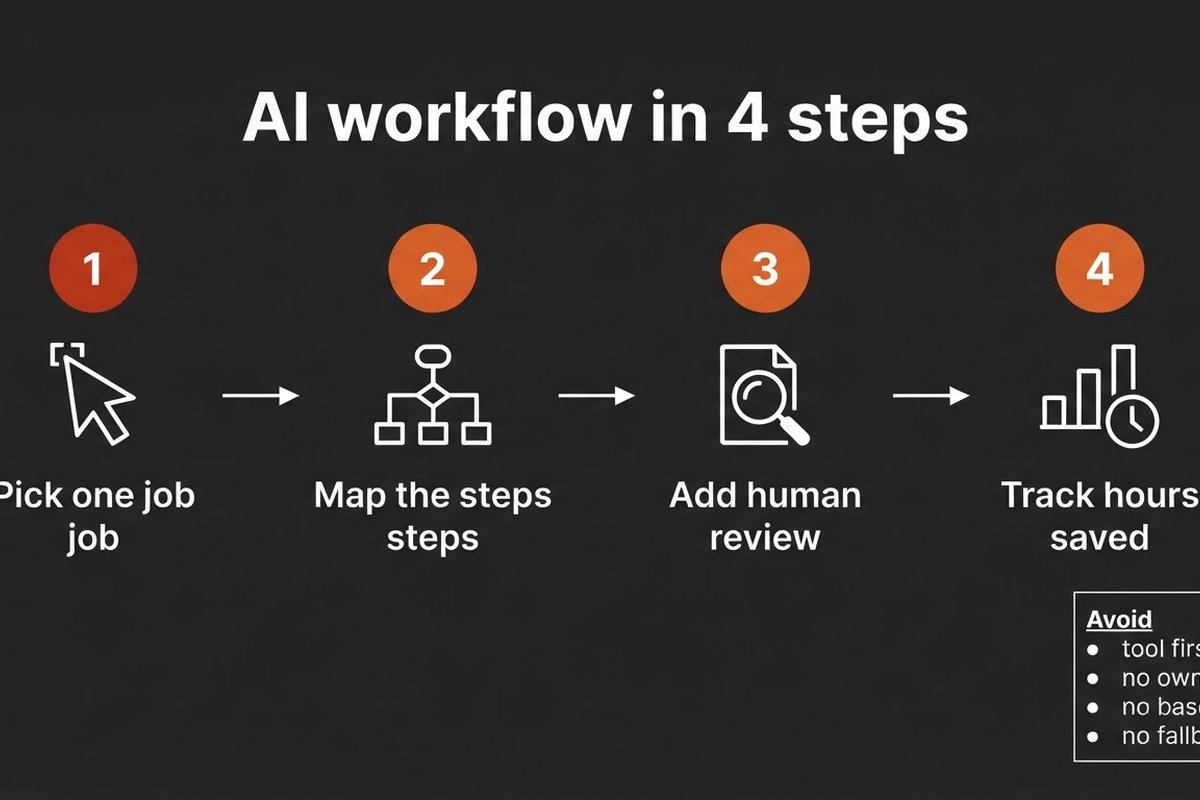
- You chose the software before naming the business problem.
- No single person owns the workflow after launch.
- You have no baseline, so every result becomes an opinion.
- The workflow has no safe handoff when the AI is unsure.
None of these require a bigger model. They require a smaller first project and a more honest operating plan.
Pick a workflow before you pick a tool
Start by watching the work for one week. Follow a request from the first email or form submission to the final result. Write down every handoff, copy-and-paste step, approval, and exception.
Then score each candidate with four questions:
- Does it happen often enough to create a useful sample?
- Does it have reasonably clear inputs and outputs?
- Can a person describe a good result in one sentence?
- Can you undo a mistake without damaging a customer relationship?
Good first candidates include drafting replies to routine enquiries, extracting data from supplier documents, preparing quote drafts, classifying incoming leads, or producing an internal weekly report. A workflow that runs every day and has a visible owner will teach you more than an ambitious “AI assistant for the whole company.”
Do not automate a broken process at full speed. If three people keep different versions of the price list, fix that before asking an agent to quote from it. Otherwise you will get faster answers that are still wrong.
Give the workflow an owner and a baseline
The process owner should help design the automation. That is the person who knows where requests arrive, which exceptions matter, and what a usable result looks like. It may be an office manager, sales coordinator, bookkeeper, or operations lead. It does not have to be the most technical person in the company.
Before launch, record the current numbers. How many items arrive each week? How long does one take? How often is it corrected? How long does the customer or colleague wait?
Keep the first scorecard short:
- Hours spent per week on the manual process.
- Time from request to completed action.
- Correction or rework rate.
- One business result, such as response time, payment time, or booked calls.
“The agent created 400 drafts” is an output count. It does not prove that work improved. “The team returned six hours a week to customer work, with no rise in corrections” tells you much more.
Why does human review belong in the first version?
Early automation should prepare work, not quietly make irreversible decisions. Let the system read, sort, extract, compare, and draft. Keep a person in control of sending, paying, deleting, changing customer records, or making a high-impact decision.
Design the review as a queue. Each item should show the source data, the proposed action, the reason it was selected, and the available choices: approve, edit, reject, or request more information. A vague notification that says “AI finished something” is not a control.
Run this review-only version for two weeks. Log the edits and rejections. If the same correction appears again and again, the cause may be stale source data, a missing rule, or an input the workflow cannot see. Fix that cause instead of adding another paragraph to the prompt.
Our guide to human approval workflows covers the risk boundary in more detail. The short version is simple: automate the reversible part first.
What should the first 90 days look like?
Give the project a short, visible runway. The point is not to promise a transformation in three months. It is to move from a vague idea to one working process with evidence.
- Days 1–10: observe the current workflow, choose one owner, and record the baseline.
- Days 11–25: clean the source documents, map the steps, and test the smallest suitable tool.
- Days 26–45: run in review-only mode with real inputs. Save examples of good and bad outputs.
- Days 46–70: remove repeated causes of edits, tighten the handoff, and measure time to completion.
- Days 71–90: decide whether to keep, narrow, expand, or stop the workflow.
Stopping is a valid result. If the process has too few repetitions, poor source data, or a cost that cannot beat the manual work, stop cleanly and choose a better candidate. A small failed test is cheaper than a large system nobody uses.
How do you know when to expand?
Expand only after the first workflow behaves predictably. Look for a stable correction rate, a named owner who still wants the system, and a business result that improved against the baseline.
Then add one adjacent step, not five unrelated ones. A lead-classification workflow might add CRM entry next. A document-extraction workflow might add an approval queue. Keep the original scorecard so you can tell whether the new step helped or simply moved the work somewhere else.
Review the automation monthly. Check permissions, source documents, failed runs, unusual inputs, and the cost of the tools. Software changes. Prices change. Your process changes when the business grows. An owner who checks the workflow is part of the system, not an admission that the system is incomplete.
Frequently asked questions
Should we cancel an AI tool if the first pilot did not work?
Maybe. First identify what failed: the workflow choice, the data, the handoff, the owner, or the tool. If the process was a poor candidate, cancel and choose another. If the tool could not connect to the system or handle a required step, keep the evidence and test a smaller alternative.
How many workflows should a small business automate at once?
One new workflow is a sensible limit for a small team without a dedicated implementation owner. You need enough attention to watch real exceptions and train the people who use the result. Add another only when the first one has a clear owner and a stable measure.
Is a no-code tool always the right starting point?
No. It is often a practical starting point when the workflow fits existing connectors and simple rules. If the work depends on a legacy system, complex permissions, or sensitive data, a short technical assessment may save time. Start with the process, then compare buy, configure, and build.
What is the simplest success test?
Compare the same work before and after: hours spent, time to completion, correction rate, and one business result. If the team cannot explain what improved in plain language after 90 days, the workflow is not ready to expand.