
Here's the thing nobody says out loud in a status meeting: half of what got decided last week is already gone. Someone said they'd follow up. Nobody wrote it down. By Friday the only evidence the conversation happened is a vague feeling that you were supposed to do something.
AI meeting assistants are the cheapest fix to that problem most small businesses haven't touched yet. They sit in your calls, write down what was said, pull out the decisions, and hand you a list of who-owes-what before you've closed the laptop. This guide walks through what they actually do, what they're worth, and how to start without creeping out your team.
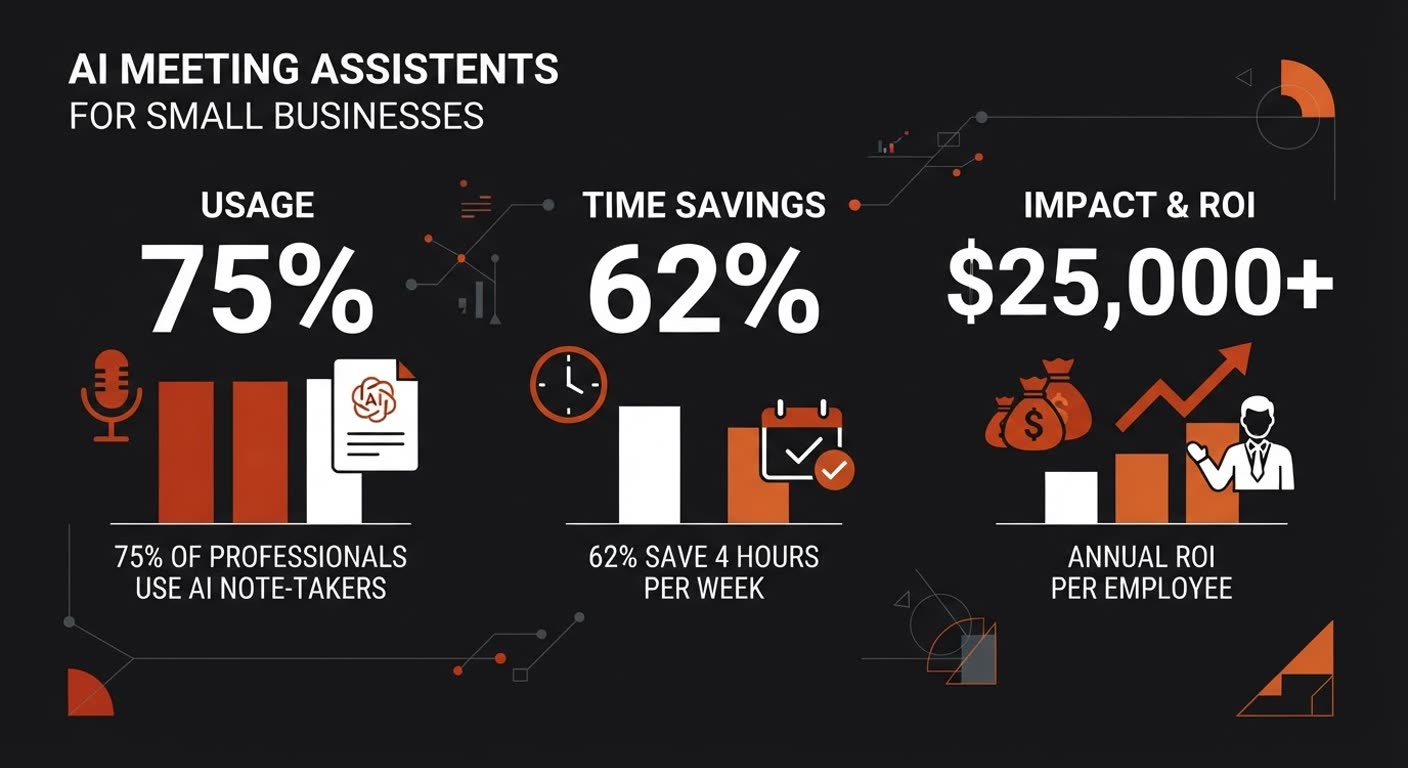
What an AI meeting assistant actually does
It's simpler than the marketing makes it sound. The tool joins your call as a silent participant, records the audio, turns speech into text, and then a language model reads that transcript and writes a summary: key points, decisions, and a checklist of action items with owners. You get it in your inbox or calendar a few minutes after the call ends.
The good ones also label who said what, so your notes aren't a wall of text. And they let you ask questions later, like "what did we agree about pricing?" without rewinding a recording. That last part is where it stops being a notepad and starts being a memory you can search.
A few names you'll run into: Fathom (free tier, highest-rated in the category), Fireflies (leans hard into downstream automation), Otter.ai (built the category, strong real-time transcription), tl;dv (great cross-meeting search), and Granola (augments your own notes instead of replacing them). The video apps themselves now ship their own: Zoom AI Companion and Microsoft Teams Copilot.
Why small teams get the most out of it
Adoption data tells a story big companies don't like to admit. Usage is highest at the small end, around 78 to 81% for solo operators and tiny teams, and it drops as companies get bigger. Not because enterprises don't want the help. Because at 5,000 employees someone has to run a security review, pick an approved vendor, and survive a procurement cycle before anyone's allowed to turn it on.
You don't have that problem. You can decide at lunch and have it running by the afternoon meeting. That's the whole edge of being small: you move.
And the pain is sharper for you. A 50-person company doesn't have a project manager whose job is chasing action items and sending reminder emails. When meeting notes live in one person's notebook, follow-through depends entirely on that person remembering. Small teams lose more when notes don't get written, and gain more when something reliable does it for them.
The savings aren't in the transcript. They're in never having to ask "wait, what did we decide?" ever again.
— Pattern across SMB reviews of AI note-takers, 2026
The real savings aren't in the transcript
Transcription is a solved problem at the top of the market. The time you save not typing is real but small. The bigger wins sit in two places most people ignore.
First, context. The average professional spends roughly 146 hours a year trying to remember what was said in a prior meeting and re-asking colleagues for it. AI search returns that in seconds. Second, follow-through. Between 30 and 50% of action items simply never happen because nobody remembered them after the fact. A tool that captures and shares them changes that number.
The multiplier is integration, not transcription quality. Once meeting output flows into your CRM, your project tracker, or your support tool, the savings compound. Sales teams with full CRM auto-sync report 8 to 12 hours saved per week per rep. That's the 4 to 10x ROI figure you see quoted, and it comes mostly from not manually logging the call afterward.
Built-in or standalone: which one do you need?
Before you sign up for anything, check what you already pay for. Zoom and Microsoft Teams both bundle AI summaries into plans you may already own. If your meetings live in one ecosystem, the built-in option is often enough and costs you nothing extra.
| Option | Best for | Cost reality | Integration |
|---|---|---|---|
| Zoom AI Companion / Teams Copilot | Teams already on Zoom or M365 who want zero setup | Often included with your paid plan | Limited outside the host platform |
| Standalone (Fathom, Fireflies, Otter, tl;dv) | Multi-platform calls, CRM sync, cross-meeting search | Free tier exists; paid unlocks limits | Deep: Salesforce, HubSpot, Slack, trackers |
Rule of thumb: if all your meetings happen on one platform and you just want a recap, turn on the built-in. If you hop between client Zoom calls, Google Meet, and Teams, or you need notes to land in your CRM automatically, a standalone tool earns its keep. A freelancer invited into a client's call is exactly who the standalone tools are built for.
How to roll it out without annoying everyone
The fastest way to poison this is to flip it on silently and let people find out from a recording notice. Do the opposite.
- Tell people you're recording. Mention it at the start of the call. In most places you're expected to, and it builds trust instead of destroying it.
- Default it on, with a clear opt-out. Teams that say "it's on unless you turn it off" see massively higher usage than teams that say "turn it on if you want notes." The institutional memory only forms if most meetings get captured.
- Distribute the summary within the hour. Teams that send recaps to attendees and one shared channel the same day see 50 to 70% better follow-through on action items. The loop closes when the summary lands fast.
- Start with the meetings that matter. Client calls, weekly reviews, hiring panels. You don't need every 1:1 recorded on day one.
The privacy question you can't skip
Client calls and internal strategy talks are not the place to be careless. Before you point any tool at them, check three things: where the recordings are stored, whether the vendor acts as a data processor under your instructions (not training their own models on your audio), and what deletion controls you have.
Reputable tools publish a data retention schedule and let you wipe recordings. For sensitive industries, conversation intelligence features that score or coach calls deserve extra scrutiny. None of this is a reason to avoid the category. It's a reason to pick the vendor deliberately instead of the first free one.
Frequently asked questions
Do I need to tell people the AI is in the meeting?
Yes. At minimum, say you're recording at the start of the call. Many tools join as a visible bot participant anyway, so hiding it isn't really possible. Being upfront keeps the trust intact and covers you legally in most jurisdictions.
Will it work if I'm on Google Meet and the client uses Zoom?
The standalone tools are platform-agnostic. They join as a bot across Zoom, Google Meet, and Teams, and most let you drop the notetaker into a call you didn't organize, as long as you have the link. The built-in options are locked to their own platform.
Is the free tier good enough for a small team?
Often, yes. Fathom's free plan covers core transcription, summaries, and action items. You'll hit limits on storage, meeting volume, or team features, at which point the paid plan is cheap relative to the hours it returns. Start free, upgrade when the math clearly works.
What if my meetings are in person, not on a call?
Some tools transcribe in-person conversations through a phone or laptop microphone, and Zoom's My Notes works for in-room meetings too. Accuracy is lower than a clean video call, but for capturing decisions it still beats the alternative of nobody writing anything down.