AI Voice Call Automation for Small Businesses
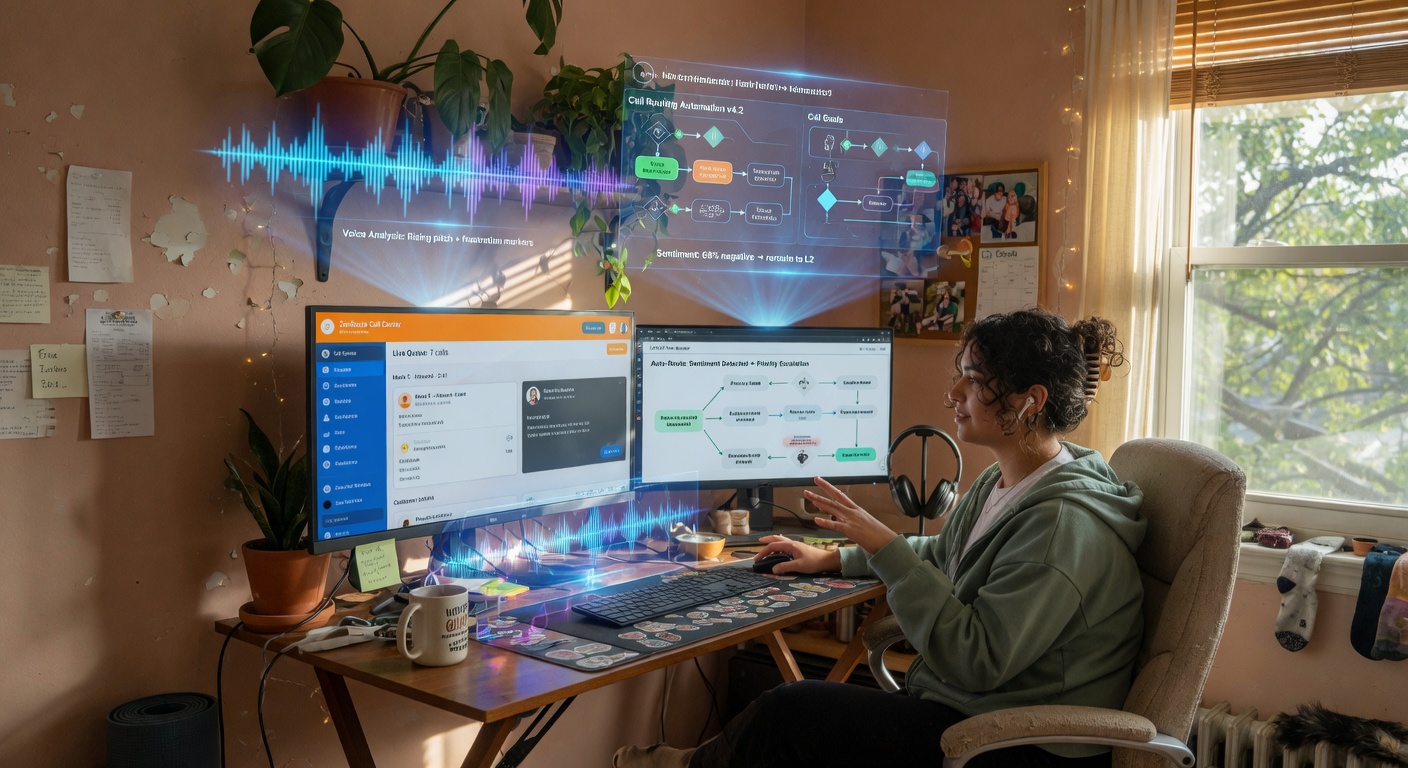
Your team burns hours a week on identical calls: appointment confirmations, quote follow-ups, payment reminders, support questions. It's necessary work but repetitive and expensive. AI voice agents can handle these calls automatically now — with natural-sounding speech, 24/7, and they hand off to a human only when they need to. This guide explains how it works, where to apply it, and what to plan for before launch. If you're ready to automate with AI, we have solutions ready.
The cost of repetitive calls
SMBs and freelancers often outsource or handle large call campaigns that follow a script. Per-minute costs, wait times, and team fatigue from saying the same thing hundreds of times. Common examples:
- Sales: Quote follow-ups, post-send confirmations, reception checks.
- Support: Order status checks, hours of operation, FAQ responses.
- Collections: Payment due reminders, payment confirmation, rescheduling.
- Operations: Appointment confirmations (technicians, sales), post-service surveys, stock alerts.
Each call eats time your team could spend on higher-value work. Outside business hours, customers wait or look for alternatives.

How AI voice call automation works
AI voice agents can hold natural phone conversations, understand context, and execute actions programmed into them. They're not old IVR systems — they're conversational models that can:
- Understand open-ended questions — they catch intent even from unexpected phrasing.
- Handle dynamic conversations — they manage interruptions, repeats, topic shifts.
- Run integrations — they pull data from your CRM/ERP, log responses, update status.
- Escalate to humans — they detect complexity and transfer the call with context.
- Speak naturally — advanced speech synthesis that sounds human, not robotic.
Core technologies behind a voice agent
- STT (Speech-to-Text): Converts caller voice to text in real time, even in noisy environments.
- NLP/NLU: Processes text, detects intent, pulls out relevant data (dates, numbers, names).
- Conversation model: Generates appropriate responses, manages dialog flow, decides actions. Can follow a script but adapt to deviations.
- TTS (Text-to-Speech): Converts the response back to natural voice with proper inflection.
- API integrations: Connection to external systems to query or update data (CRM, calendars, databases).
Real use cases
1. Automatic appointment confirmations
A clinic, maintenance company, or field sales team sees 10–20% no-shows. An agent calls 24 hours before, confirms, and reschedules if the client isn't available or cancels. Result: fewer wasted trips, optimized schedules.
2. Quote follow-up (sales)
You send a quote, and the agent calls on day 3: "Hi, did you get our proposal? Any questions? Want to schedule a meeting?" It logs the response in your CRM as "interested," "no answer," or "rejected." Frees up your sales team to close instead of calling everyone manually.
3. Payment reminders and collections
Instead of just an email, the agent calls with a personalized message: "Hi John, your €450 invoice is due in 3 days. Want to pay now or reschedule?" Offers instant payment via integrated gateway. Improves recovery rates and cuts late payments.
4. First-level support
Common questions like "What's my order status?", "How do I reset my password?", "What are your hours?" The agent identifies intent, looks it up, and responds. If it can't solve it, it transfers to a human with context already logged. Cuts support workload by 40–60% on repetitive tasks.
5. Post-service satisfaction surveys
After an installation or repair, the agent calls: "On a scale of 1 to 5, how would you rate the service?" It captures the score, and if it's low, alerts a manager for follow-up. Catches problems before they escalate.
6. Low-stock alerts (B2B)
When a client's inventory hits minimum levels, the agent calls: "Your product A is low on stock. Want to place a reorder?" Logs the response in your ERP. Reduces stockouts and boosts recurring orders.
Real benefits
- Cost per call: An AI agent handles thousands of calls monthly for a fraction of a call center operator (starting ~€200/month per agent vs. €2,000–4,000/month per person).
- 24/7 availability: No business hours limit. Customers get their reminder or confirmation at 8 p.m. if needed.
- Consistency and accuracy: The agent follows the script exactly, doesn't tire, doesn't skip steps. Every call meets the same standard.
- Scale without friction: 500 calls in an hour? No queues, no waits.
- Data auto-structured: Every response logs to your CRM/ERP, tagged and ready for analysis.
- Better customer experience: Instant response, no hold times, natural voice, in their language.
Technical and operational considerations
Voice quality and latency
Experience depends on TTS clarity and network latency. A good agent responds in under 1 second after a caller pauses. High-quality Spanish voices (not robotic) are essential for acceptance. Always test with real users before rolling out.
Integration with existing systems
Define what data the agent needs and where it lives. Typical connections:
- CRM (HubSpot, Salesforce, Zoho): look up client, update status, add notes.
- ERP (Axapta, SAP, Odoo): check invoices, stock, orders.
- Calendars (Google Calendar, Outlook): confirm appointments, reschedule.
- Payment gateways: offer instant payment by phone.
Your API must be accessible and secure. The agent shouldn't have unlimited access — read-only for queries, controlled write permissions for specific updates.
Scripts and dialog flows
Even though the agent understands open-ended intent, you need to structure the main flow:
- Greeting and intro — Brief, clear, identify your company.
- Call purpose — "I'm calling to confirm your Friday 10 a.m. appointment."
- Key questions — "Can we confirm?" or "Did you get the quote?" or "Ready to reschedule?"
- Branches and responses — If "no," offer an alternative; if "yes," log and close.
- Polite closing — Thanks, goodbye, and if needed, transfer to a person.
Test the script with different accents, ages, and situations. Include handling for basic objections ("Not interested," "I'm busy," "Call me later").
Legal compliance and privacy
In Spain and the EU, automated calls must comply with data protection law (LOPD-GDD). Key points:
- Prior consent: Only call clients who've authorized phone contact (contracts, forms with opt-in).
- Clear ID: The agent must say who's calling and why at the start.
- Right to opt-out: Callers must be able to request no future calls — and you must honor it immediately.
- Recording: If you record calls, you must inform and get explicit consent. Many implementations transcribe in real time without storing audio.
Consult a lawyer before launching automated calls to third parties.
Implementation costs
Two main models:
- Voice AI SaaS: Platforms like Twilio Autopilot, Voiceflow, Dialogflow CX, or local providers (CallHelp, Voz.com). Typically charge per conversation minute (€0.03–0.10/min) + monthly fee. Easy to set up, no infrastructure.
- Custom-built: If you already use OpenAI/Anthropic APIs and telecom services (Twilio, Asterisk), you can build a bespoke agent. Higher upfront cost but better control and lower per-minute rates at scale.
For an SMB, start with SaaS — it's faster and lower risk. A typical agent plan (5,000 min/month) runs €300–600/month including the phone number and setup.
Step-by-step rollout
- Pick a process to automate: Start simple and high-volume (appointment confirmations or quote follow-ups). Track how many hours it takes today.
- Write your initial script: Greeting, purpose, key questions, branches for yes/no/unsure/"I want to talk to someone."
- Set up the agent: In your chosen platform, define intents, responses, and integrations (CRM, calendar).
- Internal testing: Make test calls, adjust response timing, message clarity, edge-case handling.
- Controlled pilot: Automate a small subset (e.g., new clients only, or one week of appointments). Monitor confirmations and satisfaction.
- Refine: Based on feedback, improve the script, add more intents, adjust tone.
- Full rollout: When the pilot proves effective (e.g., 80%+ auto-confirmations, no complaints), extend to all customers.
- Ongoing monitoring: Track success rate, transfers to humans, cost per call, satisfaction via quick post-call survey.
Success metrics
- Completion rate: % of calls that achieve their goal without transfer.
- Average call length: Should match or beat a human call (avoid looping conversations).
- Customer satisfaction: Post-call survey (1–5 scale). Target: >4.
- Hours freed: Time your team recouped from these calls.
- Cost per call: Agent cost divided by number of calls vs. per-hour operator cost.
- Business impact: Improvement in appointment show rates, reduction in late payments, boost in accepted quotes.
ROI example: maintenance company
5-person sales team, 200 quotes/month. Each follow-up takes ~10 min (call + logging). Total: 200 × 10 min = 2,000 min ≈ 33 h/month. Sales cost: €25/h → €825/month.
Solution: Voice AI agent for quote follow-up (€350/month for 5,000 min plan). Assume it covers 75% of follow-ups (25 h/month). Savings: 25 × €25 = €625/month.
Net: €625 − €350 = €275/month gain, plus improvements in conversion rate from timely follow-up. The agent pays for itself and creates competitive edge.
Providers and options in the market
- Twilio Autopilot: Robust platform, phone integration, strong NLU, per-minute pricing.
- Dialogflow CX (Google): Highly accurate Spanish support, visual flow builder, integrates with Twilio or your number.
- Voiceflow: Visual interface to design conversations, supports voice and chat.
- Local providers: Companies like CallHelp or Voz.com offer turnkey SMB solutions (pricier but Spanish-language support).
- OpenAI + Twilio: Build a custom agent using GPT-4 for dialog and Twilio for calling. Requires more work but highly flexible.
For an SMB, Dialogflow CX + Twilio is quick and cost-effective. If you prefer no code, hire an integrator to configure it.
How BigLobster implements this
We design and deploy voice agents tailored to SMB operations. We start with a free diagnostic: identify your highest-ROI process (appointment confirmations, quote follow-ups, collections), build a pilot in 2–3 weeks, and measure real results. We sell savings, not licenses. If the pilot doesn't free up at least 10 hours/month of manual work, we don't charge for it.
Get a free 30-minute diagnostic
Wondering if your repetitive calls can be automated? Book a free consultation: we analyze your current flow, propose the priority process, and estimate hours and cost saved. Contact us or message on WhatsApp from the site. No commitment, just data.
Frequently asked questions
Can an AI voice agent transfer a call to a person?
Yes. The agent can detect a request or situation outside its approved flow and transfer the call with the conversation context, so staff can continue without asking the customer to repeat everything.
What should a small business automate first?
Start with a high-volume, predictable process such as appointment confirmations or quote follow-ups. Measure time saved, completion rate, transfers, and customer feedback before expanding.