
Every founder knows the awkward version of this meeting: “We made money last month. Why does the bank balance look so bad?”
Profit and cash are related, but they do not arrive on the same schedule. (If your sales are growing but profit is not, start with the revenue trap.) A customer can sign a large order today and pay in 60 days. Payroll, rent, suppliers, and software bills will not wait for the invoice to clear.
That is why I like a 13-week cash-flow forecast. It is close enough to reality to guide next week’s decisions and far enough ahead to expose a problem before it becomes an emergency. AI can keep the forecast current and spot payment patterns, but it cannot rescue a model built on messy inputs or wishful thinking.
Why cash surprises hurt small businesses first
Large companies can spread risk across departments, credit facilities, and cash reserves. A small team often has one operating account and a handful of large customers. A late payment from one of them can change the week.
The 2025 Federal Reserve Small Business Credit Survey found that 51% of employer firms cited uneven cash flows as a financial challenge. That is a useful reality check: cash visibility is not only a finance-team concern. It is an operating problem for half of surveyed small firms.
“The best forecast is not the one that looks right on Friday. It is the one that gives you time to change what happens next Tuesday.”
A forecast earns its keep when it changes a decision: chase an overdue invoice, delay a non-essential purchase, reschedule a hire, or speak to a lender before the account is under pressure.
What should a 13-week forecast show?
Keep the first version boring. Use weekly columns and cash movements that someone can explain. You need:
- Opening cash: reconciled balances from every operating account.
- Expected inflows: customer receipts, deposits, financing, refunds, and other money with a plausible arrival date.
- Fixed outflows: payroll, rent, debt payments, insurance, and recurring software.
- Variable outflows: suppliers, inventory, contractors, advertising, tax, and one-off purchases.
- Ending cash: opening cash plus inflows minus outflows, with a low-balance alert.
Do not hide uncertainty inside one total. Mark each receipt as committed, probable, or speculative. A signed order with a history of late payment is not the same as cash in the bank.
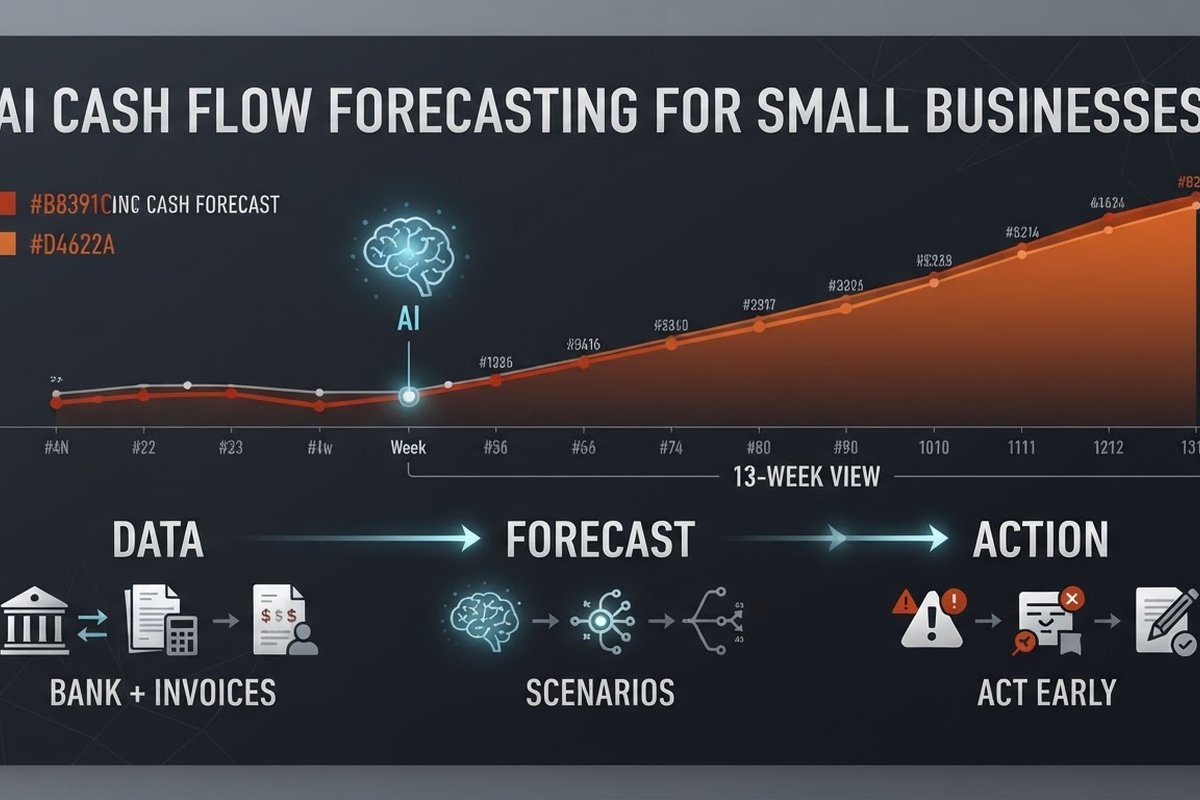
Where AI makes the forecast better
AI is most helpful when it handles the repetitive parts that make a spreadsheet stale:
- Payment timing: it can learn that a particular customer usually pays 18 days after the due date, rather than treating every invoice as on-time.
- Classification: it can match bank transactions to invoices, suppliers, payroll, and recurring bills.
- Pattern detection: it can flag an unusual supplier charge, a missing expected receipt, or a subscription that rose unexpectedly.
- Scenario updates: it can recalculate the forecast when a customer pays 30 days late, a deal slips, or a planned hire starts earlier.
The Association for Financial Professionals describes cash and liquidity forecasting as the most challenging treasury task for 62% of respondents in its 2025 benchmarking survey. In a separate AFP case study, Konica Minolta reduced daily cash-positioning work from two or three hours to about 30 minutes after automating bank data and adding open receivables and payables to its forecasting process. A small business will not copy that result exactly, but the lesson transfers: automate data preparation first.
What data do you need before using AI?
You do not need a giant data warehouse. You do need clean, consistent records:
- At least several months of reconciled bank transactions.
- Open invoices with issue dates, due dates, amounts, and actual payment dates.
- Known bills, payroll dates, loan payments, subscriptions, and planned purchases.
- A simple record of one-off events, such as a large order, equipment purchase, or owner contribution.
More history helps the model see seasonality, but more history does not fix bad categorisation. If your accounts contain duplicates and unexplained transfers, start there. A transparent spreadsheet with honest assumptions beats an automated forecast that nobody trusts.
For a new company or a business that has changed its model, use rules and scenarios before machine learning. There may not be enough comparable history for a model to learn anything useful.
How to automate the workflow without overbuilding it
Start with one source of truth for each type of data. Your bank feed supplies actual cash. Your accounting system supplies invoices and bills. Your payroll system supplies people costs. Your CRM can add signed deals, but treat the pipeline as a probability, not a promise.
- Reconcile the opening balance. If this number is wrong, every week after it is wrong too.
- Pull the next 13 weeks of known movements. Add recurring costs and committed receipts.
- Score uncertain receipts. Use payment history, not optimism, to estimate when money lands.
- Run three cases. Base case, downside case with late collections, and an upside case with extra sales or earlier receipts.
- Send an exception report. Ask a person to review only new risks, large variances, and weeks below the cash reserve.
This design keeps humans in the loop where context matters. The system prepares the view. Someone still decides whether to call a customer, pause spend, or approve a new commitment.
Which alerts are worth acting on?
Alert fatigue will kill adoption faster than an imperfect forecast. Keep the first set small:
- The projected balance drops below your operating reserve.
- A major receipt is late or its predicted date moves outside the current week.
- A recurring cost changes materially from its normal amount.
- The downside scenario creates a funding gap inside 4 to 8 weeks.
Every alert should include the cause, the affected week, and a suggested next step. “Cash low” is noise. “Customer A’s $18,000 receipt moved from week 4 to week 7; call accounts receivable today” is useful.
What AI still gets wrong
AI does not know that a customer is about to cancel unless that information reaches the data. It may assume last year’s busy season repeats when your market has changed. It can also mistake a transfer between your own accounts for revenue if the data mapping is poor.
Do not let a forecast authorise payments, draw credit, or make a hiring decision on its own. Set thresholds for human review. Compare predictions with actuals each week and keep a short note explaining the variance. The model improves when its mistakes become visible.
Also check the vendor’s data handling before connecting bank or accounting information. Ask where data is stored, who can access it, how long it is retained, and whether it is used to train a public model. A cheaper forecast is not a bargain if it creates a new privacy problem.
How do you know whether it is working?
Track operational outcomes, not just model accuracy:
- How many weeks of warning did you get before a projected low-cash point?
- How often were opening balances and expected receipts wrong?
- Did days-to-payment improve for the invoices you followed up?
- How many hours did the finance team spend preparing the forecast?
Run the automated forecast beside your current process for four weeks. Do not hide misses. If the system consistently overestimates incoming cash, reduce the confidence assigned to late-paying customers and inspect the source data.
Frequently asked questions
Is AI cash-flow forecasting only for larger companies?
No. A small company can start with a weekly 13-week model and a few reliable data sources. The right starting point is smaller than most vendors suggest: bank transactions, open invoices, known bills, payroll, and a person who reviews exceptions.
How accurate can an AI cash-flow forecast be?
Accuracy depends on the horizon, data quality, and how predictable your business is. Near-term committed payments are easier to forecast than a sales pipeline. Treat the output as a range and test it against actuals rather than believing a universal accuracy claim.
How much history do I need?
Several months can support a basic short-term forecast. Twelve to twenty-four months is more useful when your business has clear seasonal patterns. With little history or a recent business-model change, use explicit assumptions and scenarios until the data catches up.
Can AI forecast customer late payments?
It can estimate payment timing when you have invoice history tied to customer and due-date data. It should not turn that estimate into an automatic collection action without review. A score is a prompt to investigate, not a verdict about a customer.
What should I automate first?
Automate data collection, reconciliation checks, recurring movements, and variance reports first. Leave decisions about financing, large purchases, and customer relationships with a person who understands the business.
Want a cash workflow your team can trust?
BigLobster connects the repetitive parts of finance and operations, then leaves the decisions with your team. Start with one forecast, one owner, and a short list of actions.
Talk to BigLobster →